My main responsibilities on Zula Strike were to maintain the Game Server code (a multiplayer client-server architecture) and to develop our Bots. Since I really enjoy working on enemy behaviors and game systems, here I’d like to give you a short overview of the Bots’ development.
Our main goal was to have new players fight Bots on an easy difficulty, so they could learn the game at their own pace. After several matches, we reduce the number of Bots and let more real players into the match, and so on, until matches are played only between real players. The difficulty also rises progressively depending on the player’s experience. On top of that, Bots adjust their difficulty dynamically within a single match — more intense for strong players, less frustrating for casual ones.
To summarize, I can break this long effort down into a few key points:
- Refactoring the existing codebase and designing the new architecture to add AI players (core gameplay)
- Implementing game-mode-specific behaviors using Behavior Trees
- Testing and iterating on game feel: difficulty, realism, randomness…
- Designing and implementing the backend and data architecture (most things are configurable without changing any code)
- Designing and implementing the multiplayer code to run AI on a non-authoritative game server (so the behavior code runs on the client)
- Optimizing performance (older mobile devices must run up to 9 AI Bots)
The best asset to show you the result of our work is the live game which you can download for free on Android or iOS.
Let me provide you some technical assets to give you a glimpse of my work. Those files are not the original ones in production, they are either outdated or slightly modified to serve the purpose of this portfolio. Goal is not to teach you anything here, but to show you my capacity to work on complex systems over a long time, in production, and bring clear documentation to other developers. I just picked a few examples.
Bots’ Behaviors
For each Game Mode we had a specific Behavior Tree. For example in our Sabotage mode, Bots patrol, defend bomb sites, plant the bomb or defuse it. They interact with Enemies: detect them, try to shoot them, hunt them when they flee… Each main BT (BehaviorTree) is composed of Tasks (C# scripts) or sub-BT we could re-use to avoid duplication.
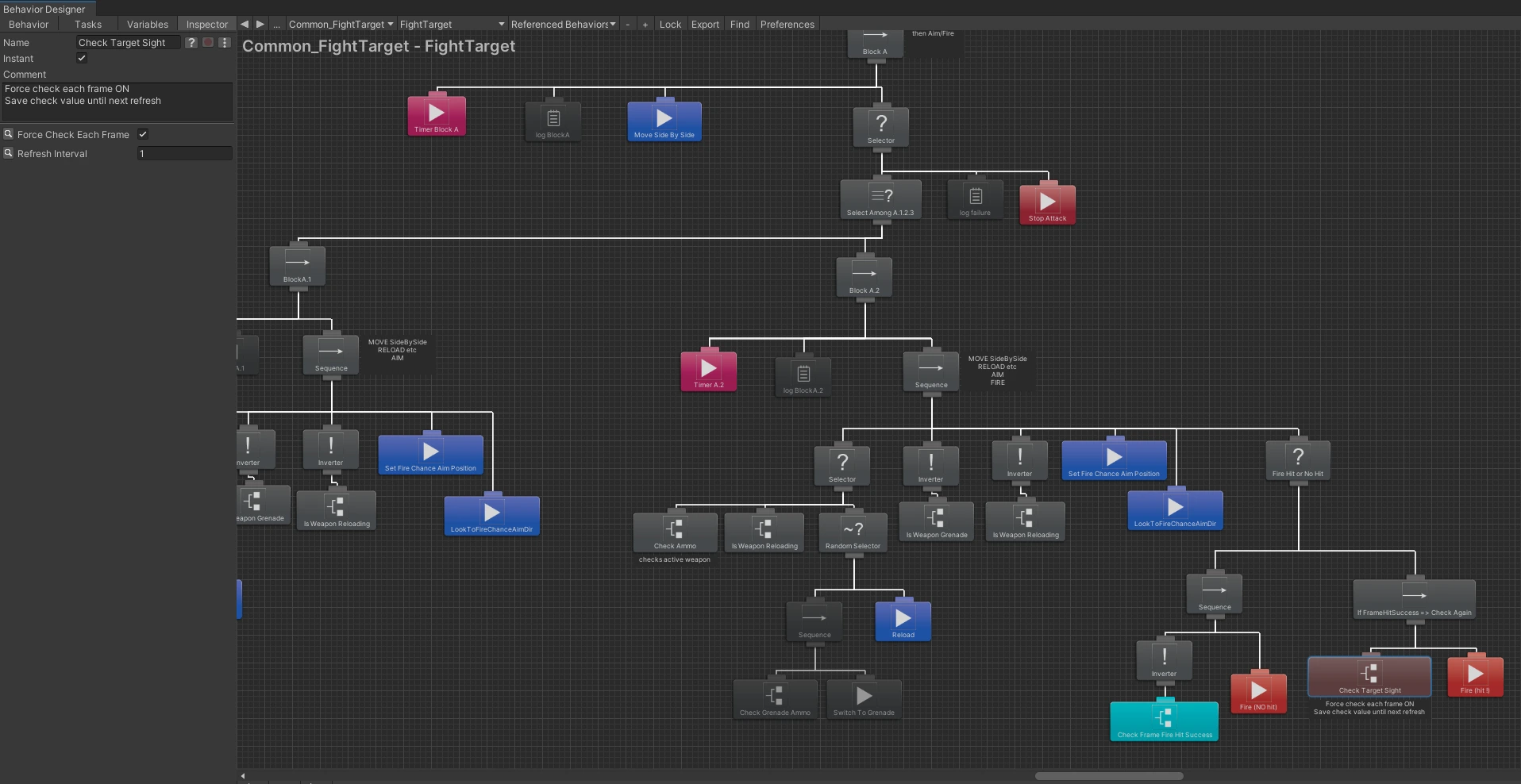
(in Unity) Behavior Tree sample 1: part of a fighting behavior
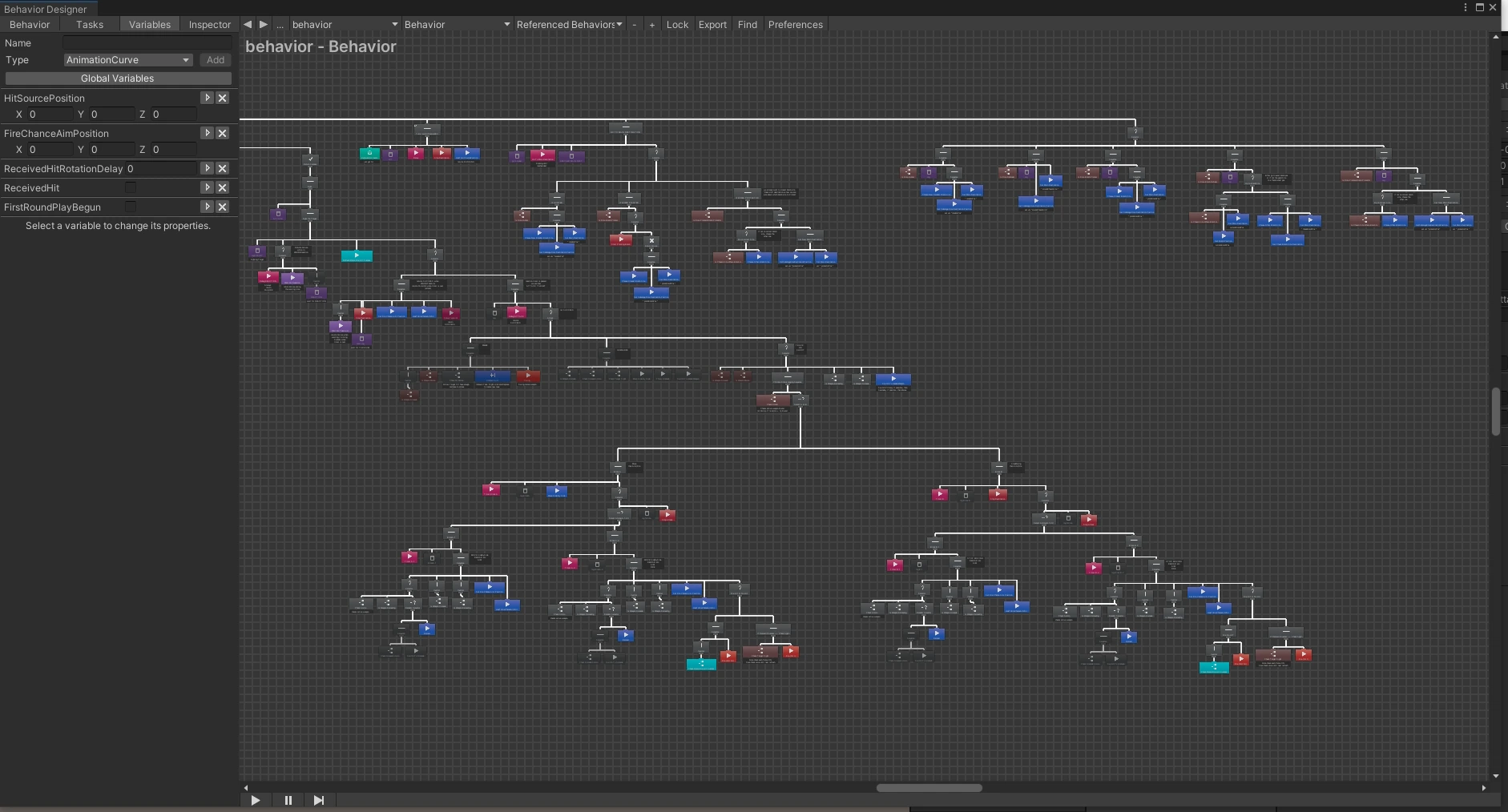
(in Unity) Behavior Tree sample 2: a lot of subtrees combined together to form a bigger tree
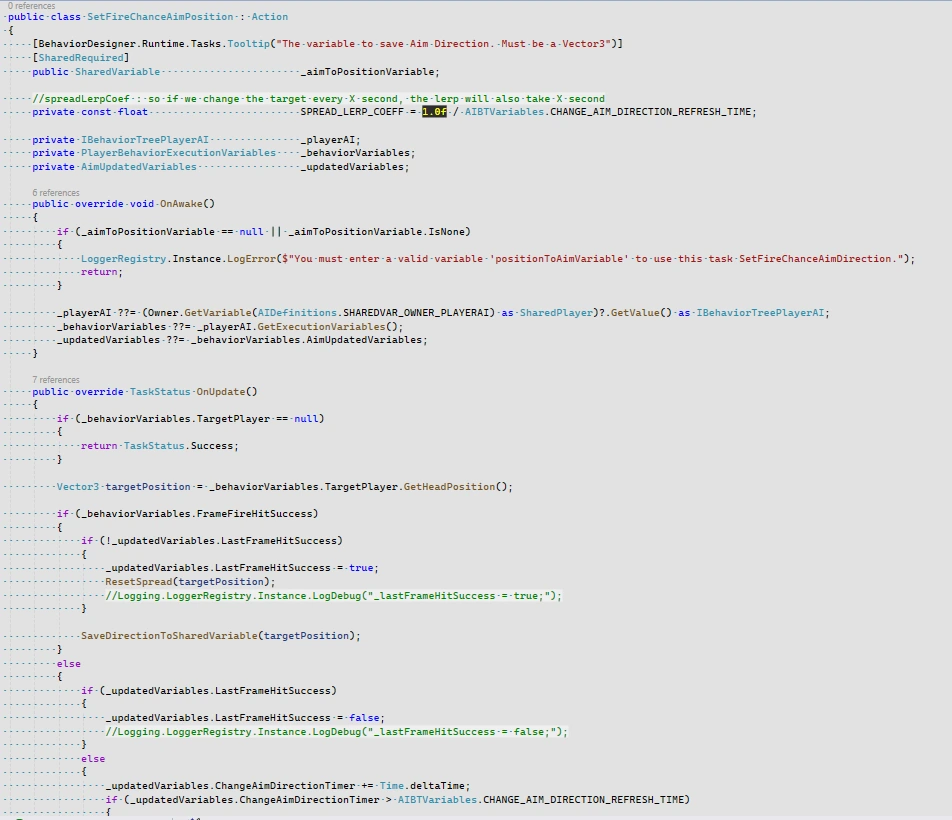
Behavior Script sample: an Action Task in C#
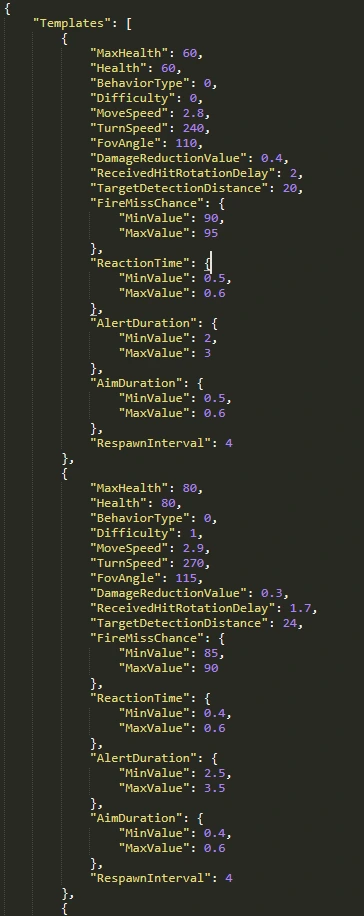
Some variables to easily edit Bots’ difficulty from the Backend
Client-Server Architecture
Our Game Server is non-authoritative, which means most of the physics and gameplay are computed on Clients, and Server simply relays information and controls most crucial parts like hits and damage for example. It is not the best for a competitive game, but simpler and cheaper, good enough for a mobile game. However, this server cannot run the code of AI players. So in order to have AI in online multiplayer matches, Client has to run AI logic. Like if it was a second Character, on the same machine. Server is still the orchestrator who knows when to create an AI player, how to control its difficulty settings etc.
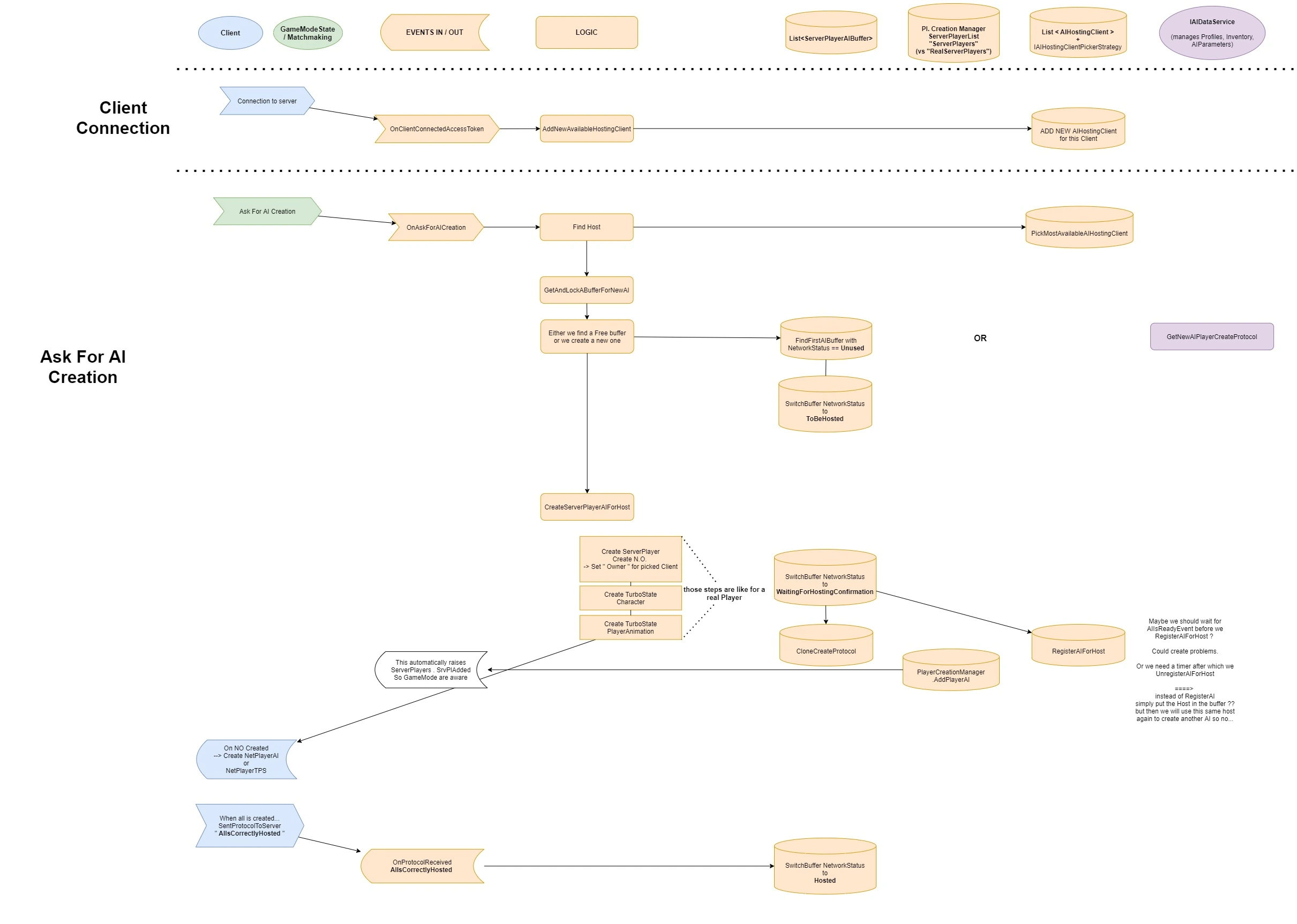
Client-Server AI Creation Flow diagram
One of the main challenges with the fact Bots are “Hosted” on Clients is: what happens if this Client disconnects? For the AI to continue running normally it needs to be “transferred” to another Host client instantly. On the new Host, the Bot’s character replication (receiving network info) is destroyed, and a new AI character (sending network info) is created, with the exact same position and characteristics, including his current Behavior information: current target, which action he is doing etc, so the Bot can continue to behave seamlessly.
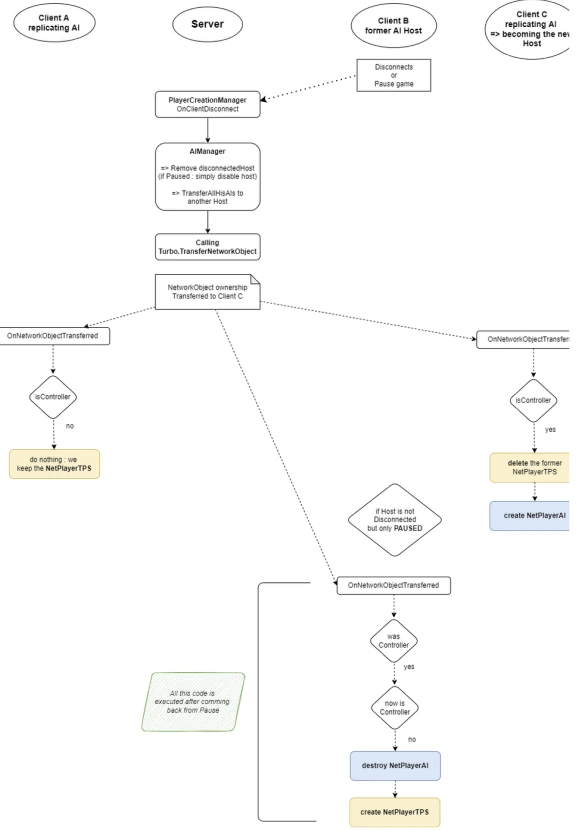
Bot Transfer Doc sample 1
On mobile, it appears that when the Player is putting the game app in the background and switches to another app, Unity scripts are not being executed anymore. Hosted Bots would thus become idle. I had to treat this situation similarly to a disconnection and transfer bots.
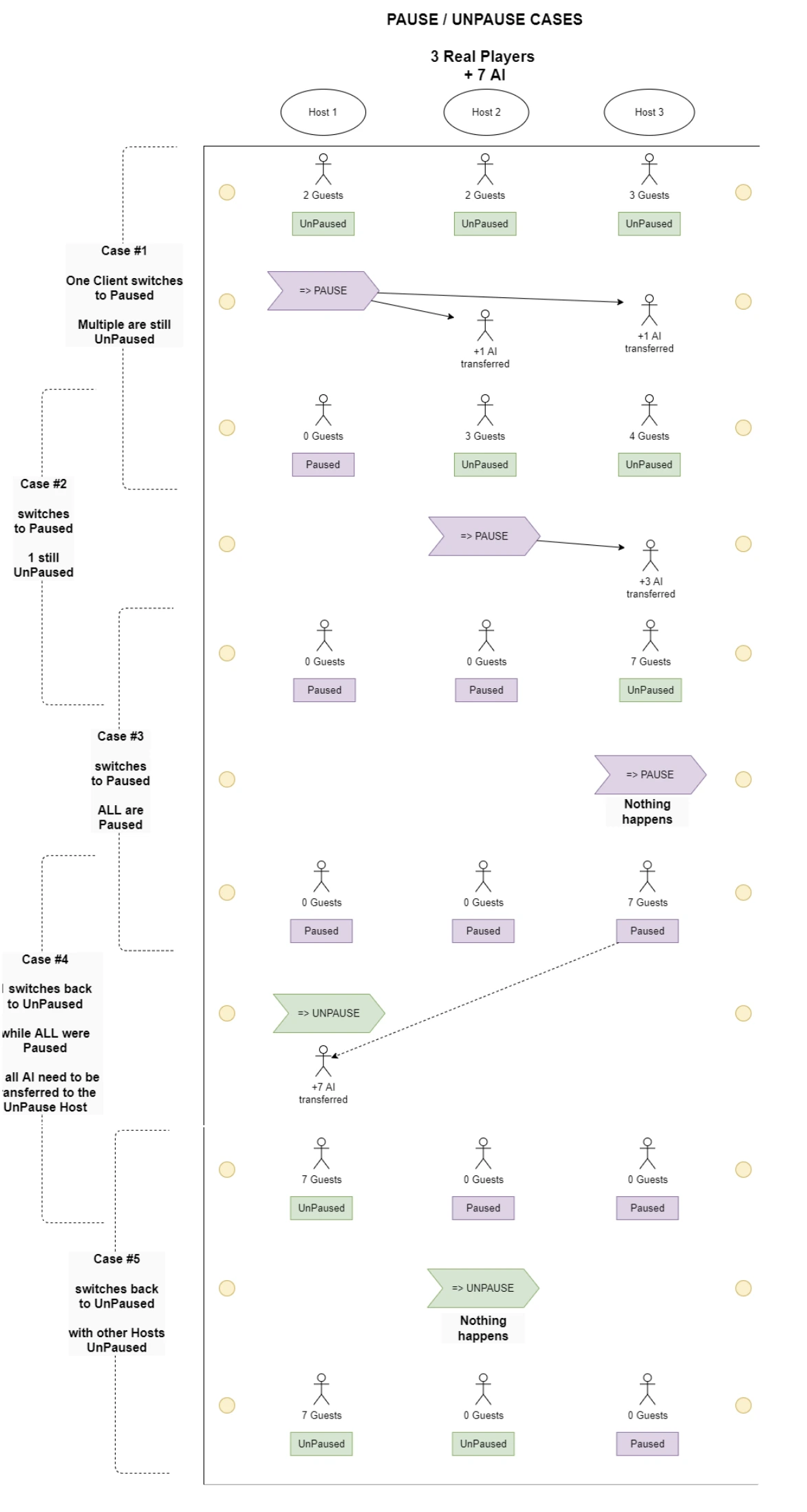
Bot Transfer Doc sample 2
Of course a lot of tricky edge cases come from this complexity, also because network can always be slow, have packet loss or mini disconnections etc. To manage this I chose a Finite State Machine pattern. It has proved its capabilities of extension and especially robustness over time.
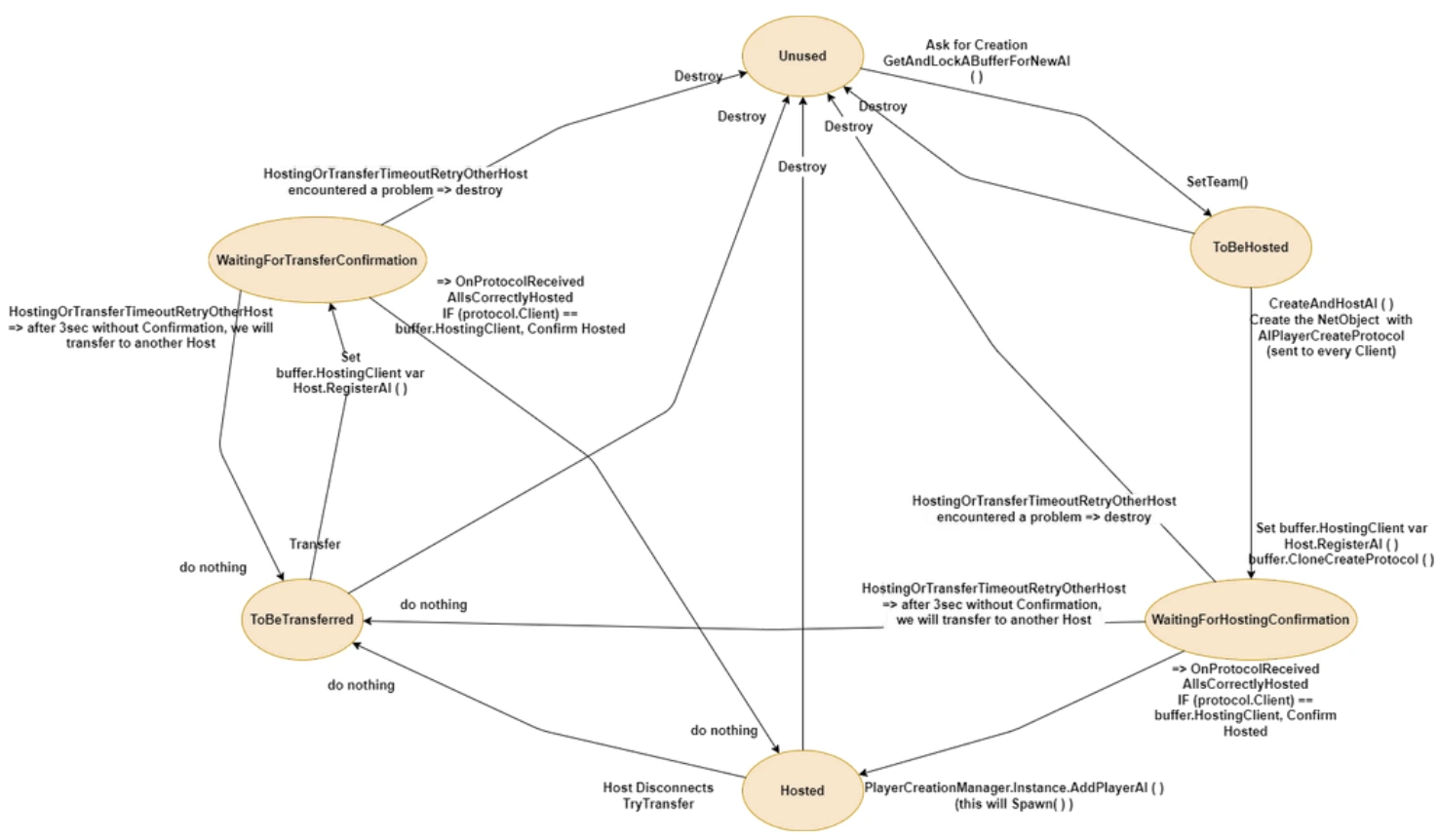
Server side management of a Bot’s Network Status via a FSM
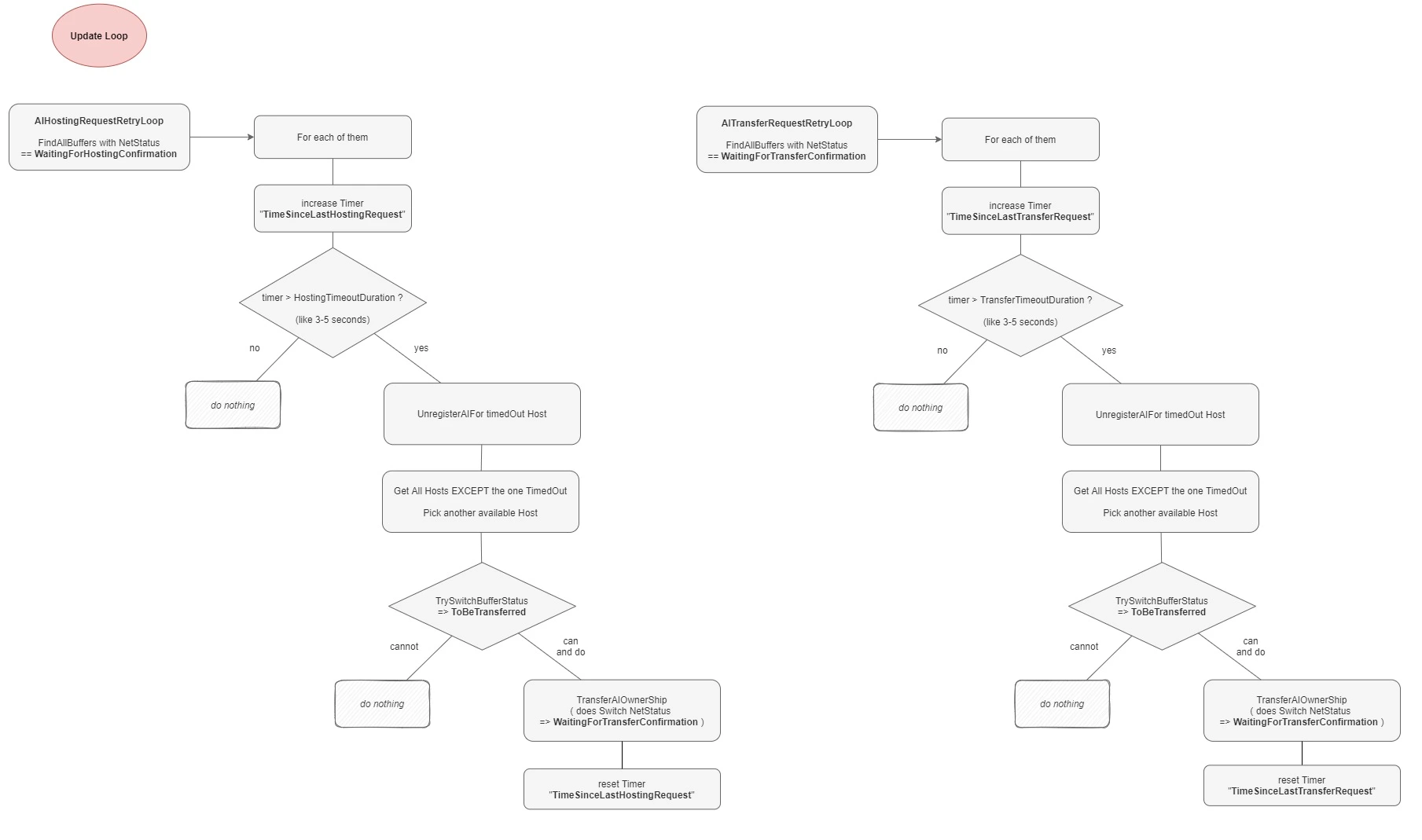
Example of some network edge case management, when a request times out
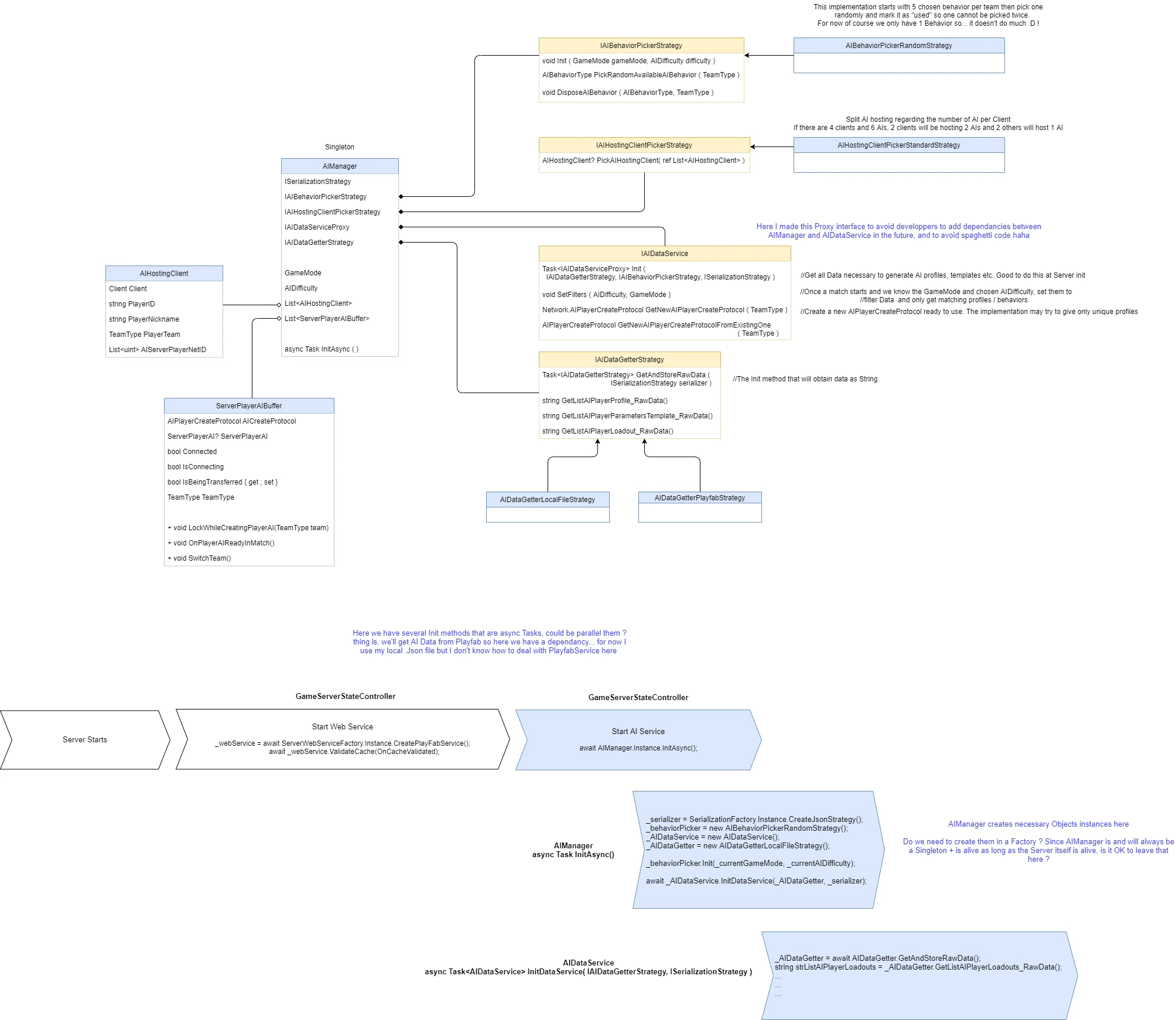
Here is an example of a diagram I made during the conception of Bot’s Data flow (between Backend and Server). I used this to validate the architecture before implementing it. This was a first version which evolved with the project.